The variance report comes back in seconds. The anomaly is flagged, the narrative drafted, the trend line charted. A controller running NetSuite looks at the output and faces the same question finance teams across every industry are working through right now: “What do I trust, what do I verify and where do I still need to think for myself?”
The boundary between where AI accelerates financial analysis and where it introduces risk is not theoretical. According to Zone & Co’s “AI Impact vs. Hype in Finance report”, 66% of companies are using AI for specific workflows or have broadly adopted it. But the most tangible benefit has been in reporting and analysis and forecasting workflows, with 53% of respondents saying AI has delivered benefits. The teams that have moved past the pilot stage with AI for financial analysis gives finance teams a path to add analytical speed without giving up the controls that protect that boundary.
Key highlights:
- AI for financial analysis delivers measurable speed to anomaly detection, narrative generation and trend identification when source data is clean and connected to the ERP.
- The highest-risk decisions in financial analysis, including policy calls, board-level reporting and materiality judgments, require human review regardless of how accurate the AI output appears.
- Governance design requires AI output to be traceable to ERP source transactions and routed through human approval before entering the official record.
- ZoneReporting and Zone’s AI keep AI-assisted analysis connected to NetSuite source data, satisfying the traceability and approval routing requirements finance teams need.
Where AI helps in financial analysis
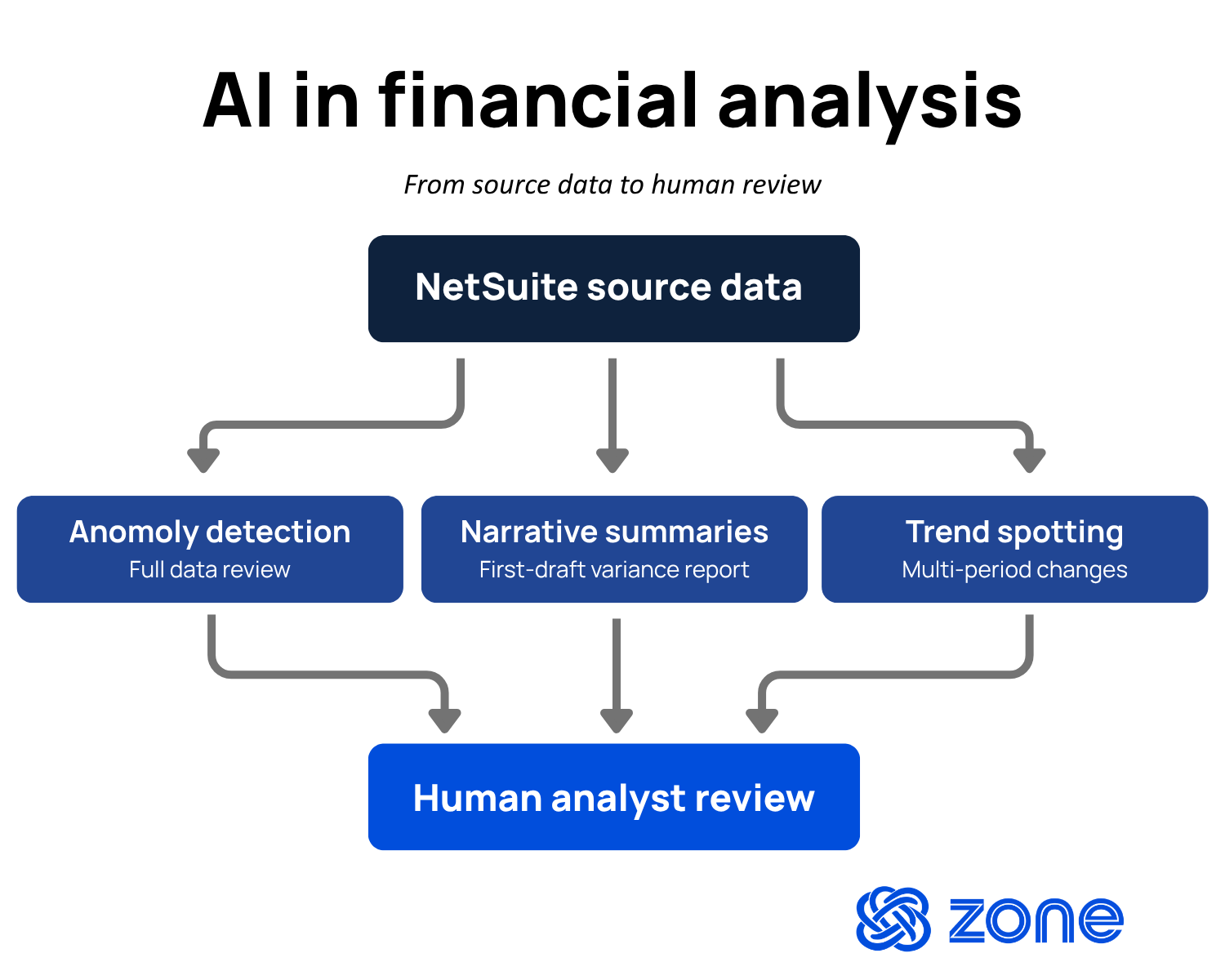
The right framing for evaluating AI in financial workflows is not which tasks AI can do but which tasks AI does consistently well when finance teams give it clean, structured financial data to work from. Three areas stand out as high-value and lower-risk starting points for teams building toward a governed AI finance workflow.
Anomaly detection
How AI helps anomaly detection: It processes transaction-level data at a volume and frequency that no analyst team can match manually.
A controller closing the books monthly used to rely on sampled review, materiality thresholds and judgments built on experience. AI running inside a connected reporting environment flags statistical outliers across the full transaction set, not just the sample. Manual review processes can miss accounts sitting just under a materiality threshold, vendor payments deviating from historical patterns, intercompany entries that don’t balance across subsidiaries on the same day and expense categories with unusual frequency.
Narrative summaries
How AI helps narrative summaries: It converts variance data into first-draft narrative at the speed of a query rather than an analyst hour.
The practical application inside financial reporting is straightforward. A reporting environment connected to structured NetSuite data can generate a period-over-period variance summary, identify the top three drivers and produce a plain-language explanation for each. The analyst still reviews, edits and signs off. With AI, the starting point is already 80% complete. For teams producing multiple entity reports each period, the time savings is significant, particularly in the days before a board package or investor update is due.
Trend spotting
How AI assists with trend spotting: It identifies trends across larger datasets spanning more time than most spreadsheet-based analysis can sustain.
A finance team analyzing six quarters of NetSuite data manually is working from a model that someone built and someone else has to maintain. AI inside a connected reporting layer runs the same analysis of revenue, cost and capital trends across the full data set and refreshes automatically as new periods close. Then, controllers can review the output and determine whether the trend is a structural shift, a timing difference or a data artifact from a system migration.
Where AI in financial analysis still needs human judgment
For controllers and accounting operations leaders evaluating AI for financial analysis, understanding exactly where AI output cannot substitute for human review is critical. The answer is not “never trust AI,” but rather “treat AI output as input, not conclusion” in four specific workflow zones.
Policy calls
Policy calls sit at the top of the list because they require interpretation, not just calculation. AI can identify that a revenue recognition pattern deviates from historical norms. Whether a transaction needs reclassification, an obligation was met early or a cost belongs in a different category depends on contract terms, management intent and an experienced read of the standard. AI surfaces the transaction for review faster than a sampled audit would catch it. The policy call itself stays with the controller.
An AI-generated policy recommendation, even one that cites the correct accounting standard, is a starting point for review. Finance leaders who treat it as a conclusion are introducing control risk rather than reducing it. The practical use is to have AI surface the question and assign it to a human reviewer who owns the answer.
Board reporting
Board reporting requires judgment at every layer of the production process. What gets included, what gets excluded, which variances require explanation and what narrative framing the board needs to act on. Each of those decisions involves context, including the prior period conversation, the strategic commitments management made in the last meeting and the board member questions.
AI can draft the financial tables, populate the variance lines and generate a first-pass commentary on performance. A CFO still reviews every line before the package goes out because the framing matters and is a process that humans should lead.
Materiality
Materiality is a judgment call that accounting standards deliberately leave flexible. AI can apply a rule-based materiality threshold consistently across a large transaction set. But qualitative materiality is the domain where controller-level experience is irreplaceable, because the factors that elevate an item to material are not always numerical.
The practical control design is straightforward. AI handles the quantitative screen, flagging items above threshold for review and passing everything else through. The controller reviews the flagged set and applies qualitative judgment to anything in the boundary zone. What the control design should never allow is AI making the final materiality call on items with qualitative sensitivity.
Audit review
Audit review depends on a chain of evidence that AI output must support rather than replace. An auditor requesting support on a journal entry needs to trace back to an approved transaction in the ERP, see the approval record and understand who authorized the posting and when. AI-generated summaries of transaction activity are not audit-ready evidence on their own.
The teams who have adopted AI in financial analysis without creating audit risk are the ones who have integrated AI directly with ERP data rather than as a replacement for it. When an AI-generated narrative points to a figure, the auditor needs to drill back to the NetSuite transaction that produced it. That connectivity – from AI output to ERP source – is what separates a governed AI workflow from one that creates liability.
How to keep AI-generated analysis explainable and governed
Finance teams adopting AI face a governance challenge that has nothing to do with data science and everything to do with workflow design. The challenge is operational: how do you know when an AI-generated output is wrong, and how do you explain to an auditor or a board member how the output was produced?
The answer requires three things working together.
- Source data connectivity: Every AI output must trace back to a specific data source in the ERP. If the AI generates a variance figure, the reviewer needs to click through to the underlying transactions that produced it. Analysis that cannot be traced is analysis that cannot be defended in an audit or a board session.
- Approval routing: AI-assisted outputs should not bypass the approval workflows that govern financial reporting. An AI-generated variance explanation generated still needs a controller to review and sign off before it becomes part of the official record. The approval step is the control. Removing it to save time removes the governance that the control exists to provide.
- Exception queue visibility: Anomalies and flagged items need a clear path through review, with an assigned owner and a resolution timeline. AI flagging a transaction is the start of a process. If flagged items sit in a queue with no owner, the detection value is wasted because exceptions don’t reach anyone who can act on them.
AI should work inside the ERP, rather than as an external tool that pulls data out with no traceable connection. When the AI layer runs inside NetSuite, traceability comes built in.
Data quality is the other half of this. Clean, complete NetSuite data produces reliable AI output. Patchy data, incomplete migrations or adjustments sitting outside the ERP produce unreliable output. Before buying any AI analysis tool, check the data underneath it first.
Here are two practical steps finance teams can take immediately to implement AI for financial analysis without losing human oversight:
- Map the approval chain for every analysis output that currently goes to leadership or the board, and confirm that the approval step will remain in place after AI is introduced. Any output where the approval step gets removed to accelerate delivery is a governance gap.
- Audit the completeness of NetSuite transaction data for the workflows where AI is being considered. Identify any categories where data lives in spreadsheets, email threads or external tools rather than in the ERP, and address those gaps before building AI analysis on top of them.
What a strong AI-assisted reporting stack looks like
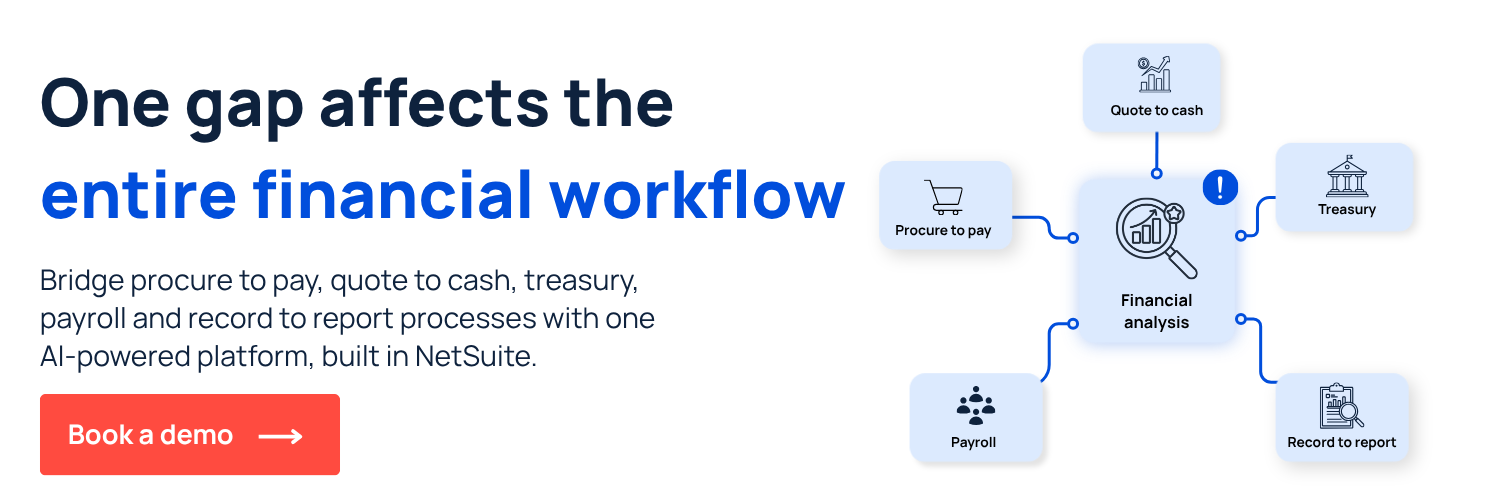
It’s crucial for finance teams evaluating AI for financial analysis to consider how the pieces of the reporting environment connect to each other and to ERP source data. A reporting stack that handles AI-assisted analysis well has four layers working in sequence:
Get auditable AI for financial analysis with NetSuite
Finance teams that have moved past the pilot stage with AI in financial analysis share a common characteristic: they drew the workflow boundary early. They decided which steps AI accelerates, which steps require human sign-off and how those two connect inside a single governed environment.
ZoneReporting gives finance teams the data foundation that AI-assisted analysis requires: connected NetSuite transaction data, automatic refresh across all periods, and a reporting architecture that satisfies audit requirements without manual data handling.
For finance teams evaluating where AI fits inside their NetSuite-led reporting environment, the data layer comes first. If the reporting architecture is not already connected directly to NetSuite transaction data, AI-assisted analysis adds speed to an unreliable foundation.
See how Zone’s AI record-to-report workflows can help your finance team make faster decisions. Book a demo today.