
An accounts payable team manually processing 3,000 invoices a month spends a few minutes on each one for opening the PDF, reading the vendor name, finding the right general ledger (GL) code, cross-checking the purchase order (PO), entering the data and routing it for approval. Top finance teams can process more than 20,000 invoices a year per full-time employee, but the bottom 25% can only process around 6,000, according to the American Productivity & Quality Center.
AI in accounts payable (AP) learns the structured AP workflow from the data already in the enterprise resource planning (ERP) platform and applies that pattern consistently at volume. But not every tool that calls itself AI-powered uses AI the same way. The tools that produce measurable results train the AI on your own data, your chart of accounts, vendor master and approval history, and operate inside NetSuite rather than syncing to it.
Key highlights:
- AI in AP automation covers four specific skills: invoice capture, GL coding, anomaly detection and approval routing.
- GenAI-powered invoice capture learns from your existing NetSuite data, including vendor history, GL structure and PO patterns, and improves over time without manual rules maintenance.
- The difference between AI bolted onto AP software and AI built into NetSuite is where the learning happens.
- Zone connects AP automation workflows across capture, approvals, payments and reconciliation inside NetSuite, working as the platform’s intelligence layer rather than a separate AI tool.
What is AI in accounts payable?
AI in accounts payable applies machine learning, optical character recognition (OCR) and generative AI to capture, coding, matching, routing and exception handling in the AP workflow. AI gets applied to the same AP tasks in very different ways, and the label covers three levels of sophistication that produce very different results.
- Rule-based automation applying if/then logic: If the vendor name matches “ABC Corp,” the automated workflow will code it to its corresponding GL, but it isn’t truly AI. The rules are static, need manual maintenance and break when a vendor changes its invoice format or you add a subsidiary.
- Traditional OCR using pattern recognition: It extracts the text accurately but doesn’t interpret it, so a human still makes every coding and matching decision.
- Intelligent machine learning: It interprets the extracted data, applies rules learned from transaction history, suggests coding decisions, flags anomalies and improves as transaction volume grows.
A rule-based AP system needs someone to write a rule mapping each vendor to a GL code. An AI system sees a new invoice, references the last 18 invoices from that vendor in NetSuite, notes that 16 were coded to the same GL and cost center and suggests the same coding, with no rule written for it. The AP team can review and confirm for accountability.
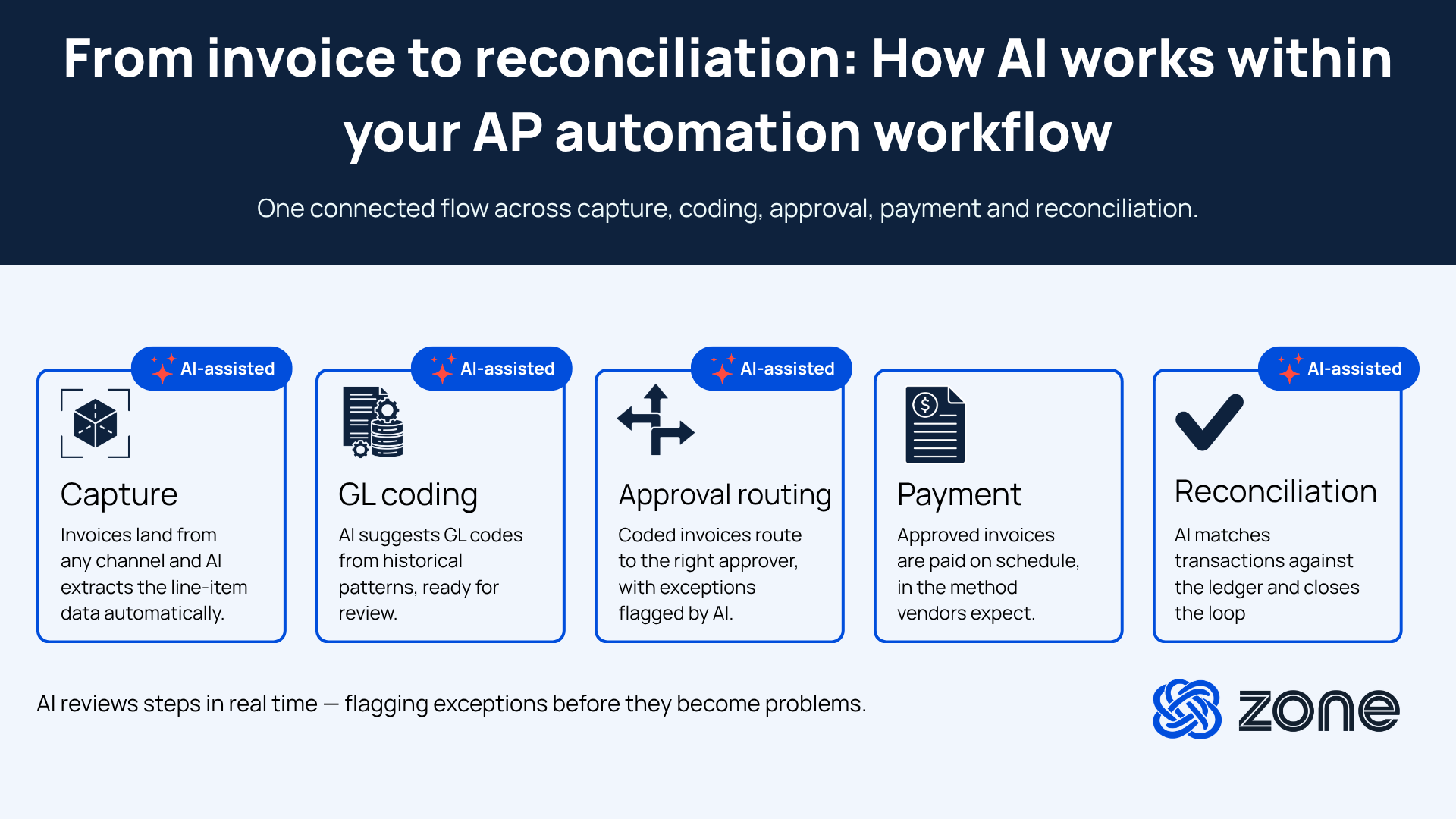
How AI is transforming AP automation
AI in accounts payable removes the AP work that shouldn’t need human judgment, so teams spend their time on the exceptions that do. Here are the parts of accounts payable where AI has the most impact.
AI-powered invoice capture and coding
The most measurable AI impact in AP automation happens at the capture stage. AI invoice processing reads any PDF layout, whatever the vendor, format or language. It extracts data at header and line level and auto-codes to the GL based on vendor history and PO patterns, without a manual template setup.
And 26% of finance teams report that invoice processing is where AI has the most tangible benefit, according to our AI Impact vs. Hype in Finance report. One example is Escalante Golf, which processes 8,000 invoices a month. Using GenAI extraction and OCR inside NetSuite, the company cut per-invoice processing time by 70%, from 2.5 minutes to 45 seconds.
Anomaly detection and fraud prevention
AI runs a continuous pattern check on incoming invoices against your ERP history. Duplicate invoices, vendor bank detail changes that don’t match the record on file, amounts outside a vendor’s historical range and invoices from vendors with no prior relationship all trigger a flag before human review.
The check runs ahead of the AP queue rather than after it, so the team sees the items that need scrutiny instead of manually checking everything. AI flags anomalies for a human to review. It surfaces the signal earlier, and the authorization decision stays with your team.
Predictive payment scheduling
AI weighs the cash position, payment terms and early-payment discount windows to recommend timing for which invoices to pay early for the discount and which to hold when cash is tight. For teams managing payment timing across multiple subsidiaries and currency exposures, that ties straight into the treasury picture.
AI-driven approval routing
Routing logic adapts to invoice type, amount, vendor and approval history instead of relying on static rules that break when the org chart changes. When a manager goes on leave, the system escalates automatically, with no one reconfiguring the workflow.
When an invoice falls outside a vendor’s typical parameters, it routes to a higher approval threshold rather than down the standard path. The result is fewer bottlenecks, fewer manual interventions and faster cycle times.
AI in AP automation: Key benefits for NetSuite teams
For teams already running NetSuite, the benefits of AI accounts payable automation compound, because the AI has your actual GL, vendor master and PO data from the first invoice it processes.
- Faster invoice processing at scale: Volume growth no longer requires proportional headcount. The same AP team handles a much higher invoice count as AI takes on the routine capture and coding work.
- Fewer GL coding errors and period-end corrections: AI-assisted invoice capture makes coding suggestions based on vendor history produce more consistent GL allocation than manual entry, which cuts the rework that piles up at month-end.
- Earlier visibility into cash commitments: Invoices are coded and routed before they back up in the queue, so finance teams can see the liability picture during the cycle rather than only at the end of it.
- Reduced fraud risk: Anomaly detection on vendor records and payment details runs continuously rather than only during a periodic audit.
- Faster month-end close: AI helps create fewer exceptions, less manual reconciliation and more invoices processed and approved before period-end.
- Continuous improvement: AI that trains on your data grows more accurate over time, learning from your workflows and how your business actually runs.
Accounts payable AI vs. traditional AP automation
Traditional AP automation applies rules to transactions that have already been initiated. AI-powered automation learns, adapts and handles exceptions that rule-based systems can’t.
What to look for in an AI-powered AP solution
These are the criteria that matter most for mid-market teams on NetSuite.
- ERP-native or integration-dependent: Does the AI train on your actual ERP data or a generic external model? A system that learns from your chart of accounts, vendor master and historical AP patterns produces better coding suggestions than one trained on generic invoice data.
- Line-level extraction, beyond header data: Complex invoices need GL coding at the line level. A system that extracts vendor name and total but leaves line-level coding to a human has closed less of the manual work than it appears.
- Adaptive learning: Does accuracy improve from your team’s corrections, or does it need manual rule updates? Static systems require maintenance as vendor relationships and GL structures change.
- Approval workflow integration: Does AI routing work within your existing NetSuite approval structure, or require a parallel workflow system? Tools that sit outside NetSuite create a sync dependency and a data gap.
- Explainability and auditability: Can the system show why it made a coding or routing decision? This matters for audit and for building team confidence in AI-suggested actions quickly.
How ZoneAI powers AP automation inside NetSuite
The manual grind of hundreds of hours a month spent processing invoices by hand doesn’t disappear when you bolt generic AI onto your AP stack. It disappears when the AI is trained on your data and runs where that data already lives.
Zone’s AP automation suite is built for exactly that. Powered by ZoneAI and running natively inside NetSuite, it reads any invoice layout, extracts data at header and line level and codes to the GL from your own vendor history, with no template library and no sync layer. Every correction your team makes becomes training data, so accuracy climbs with each invoice instead of staying flat.
What Zone helps your AP team achieve inside NetSuite:
- Stop keying invoices line by line. ZoneCapture extracts header and line-level data from any layout and codes it to the GL using your vendor history, so the routine invoices process themselves.
- Catch the risky invoice before it’s paid, not after. Anomaly detection checks every invoice against your ERP history and flags duplicates, changed bank details and out-of-range amounts before they reach the payment run.
- Clear approvals without the bottleneck. ZoneApprovals routes on amount, vendor and approval history and escalates automatically when an approver is out, so nothing stalls in an inbox.
- Get AI that actually knows your business. Because ZoneAI trains on your GL, vendor master and approval history inside NetSuite, it learns your patterns instead of guessing from a generic model..
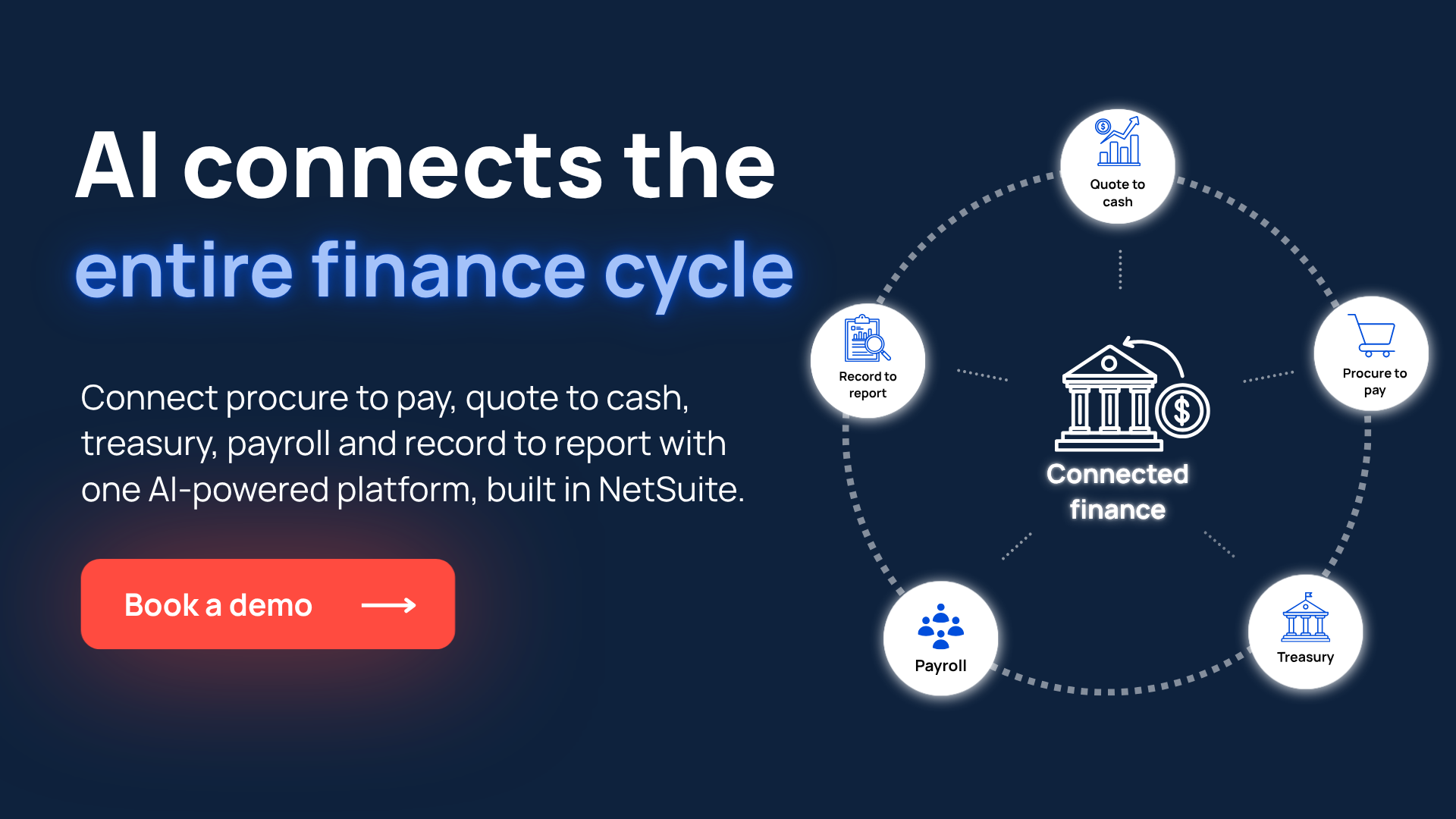
Book a demo to see AI-powered AP automation running inside NetSuite.
Zone & Co strategically uses AI to research and draft articles, but the final version is shaped by people. Our team carefully reviews content with multiple human-in-the-loop steps in the process to ensure accuracy, relevance, tone and alignment with readers’ interests.