
Most procurement problems start the same way. Someone buys something without going through the process. A department head approves a software subscription over email. A contractor gets hired before a purchase order (PO) is raised. An invoice arrives for a vendor the accounts payable (AP) team has never heard of. By the time finance finds out, the commitment is already made and the budget is already affected.
The requisition-to-PO workflow exists to prevent this. Understanding the difference between a purchase requisition and a purchase order – and why both matter for spend control – is one of the most practical things a finance team can do to improve procurement discipline. Here’s what each document is, how they connect and how to automate the full req-to-PO workflow within procure-to-pay (P2P).
Key highlights:
- A purchase requisition is an internal request for approval to buy; a purchase order is the external commitment to a vendor.
- Skipping the requisition step is one of the most common causes of maverick spend and budget overruns.
- The approval step between requisition and PO is where most procurement bottlenecks occur.
- ZoneProcure automates the full req-to-PO workflow and feeds clean finance and vendor data to NetSuite.
Requisition vs. purchase order
The requisition comes first and controls the approval. The PO comes second and commits the spend. Combining or skipping the requisition step removes the primary control that keeps spending inside the budget.
What is a purchase requisition?
A purchase requisition is an internal document submitted by an employee or department to request approval to purchase goods or services. It triggers the approval workflow before any commitment is made to a vendor. The purpose is to give finance and management visibility into what's being requested before money is committed.
Let’s say a marketing manager needs a new analytics tool. Rather than signing up directly, they submit a purchase requisition that routes to their department head for budget sign-off and then to finance for general ledger (GL) coding and approval. Only after both approvals is a purchase order raised and sent to the vendor.
Without the requisition step, the marketing manager signs up for the tool, the invoice arrives and finance is approving spend that was never budgeted.
What information should a purchase requisition include?
A complete requisition reduces approval delays. Standard fields include:
- Requester name and department
- Vendor name (if known) or category of vendor needed
- Item or service description with sufficient detail for finance to assess
- Quantity and estimated cost
- GL code or cost center
- Business justification – why this purchase is needed
- Requested delivery or start date
- Any vendor contract or quote attached
Incomplete requisitions are the most common cause of approval delays. When approvers need to go back to the requester for basic information, the cycle time doubles. Building complete submissions into the requisition template eliminates most of this back-and-forth.
Who approves purchase requisitions?
Approval authority typically depends on dollar amount and department. A standard tiered structure might route purchases under $5,000 to the department manager, $5,000 to $25,000 to the VP of Finance, and above $25,000 to the CFO. The approval matrix should be documented and enforced by the system – not managed over email.
Email-based approvals have no audit trail, no escalation mechanism and no visibility for the team waiting on a response. When an approver is out of office and an email sits unread, the purchase is delayed and no one knows why.
What is a purchase order?
A purchase order is a formal, legally binding document issued by the buyer to a vendor, authorizing the purchase of specific goods or services at an agreed price and quantity. It's generated after the requisition is approved, and it creates a financial commitment that should be reflected in the ERP as an open obligation.
Using the previous example, when the marketing manager gets approval for an analytics tool, the requisition generates a PO that goes to the vendor confirming the order – specifying the tool, the subscription term, the price and the payment terms. The vendor accepts the PO and the contract is formed.
What information should a purchase order include?
A well-formatted PO is essential for 3-way matching later in the AP process. Standard PO fields include:
- PO number (unique identifier for matching)
- Vendor name, address and contact details
- Item or service description and quantity
- Agreed unit price and total amount
- Delivery terms and expected delivery date
- Payment terms
- Billing and shipping address
- Authorized signature
The PO number is the reference that ties together the PO, the goods receipt and the vendor invoice in the three-way match. A PO without a number – or a verbal PO that was never recorded in the system – breaks the matching process.
When does a PO become legally binding?
A PO becomes legally binding when accepted by the vendor – either explicitly (a signed acknowledgment) or by performance (the vendor ships the goods or starts the service). From a finance perspective, what matters is that the moment a PO is issued, it creates a financial obligation that should be tracked inside NetSuite as an open commitment against the relevant budget.
The req-to-PO workflow – how the two documents connect
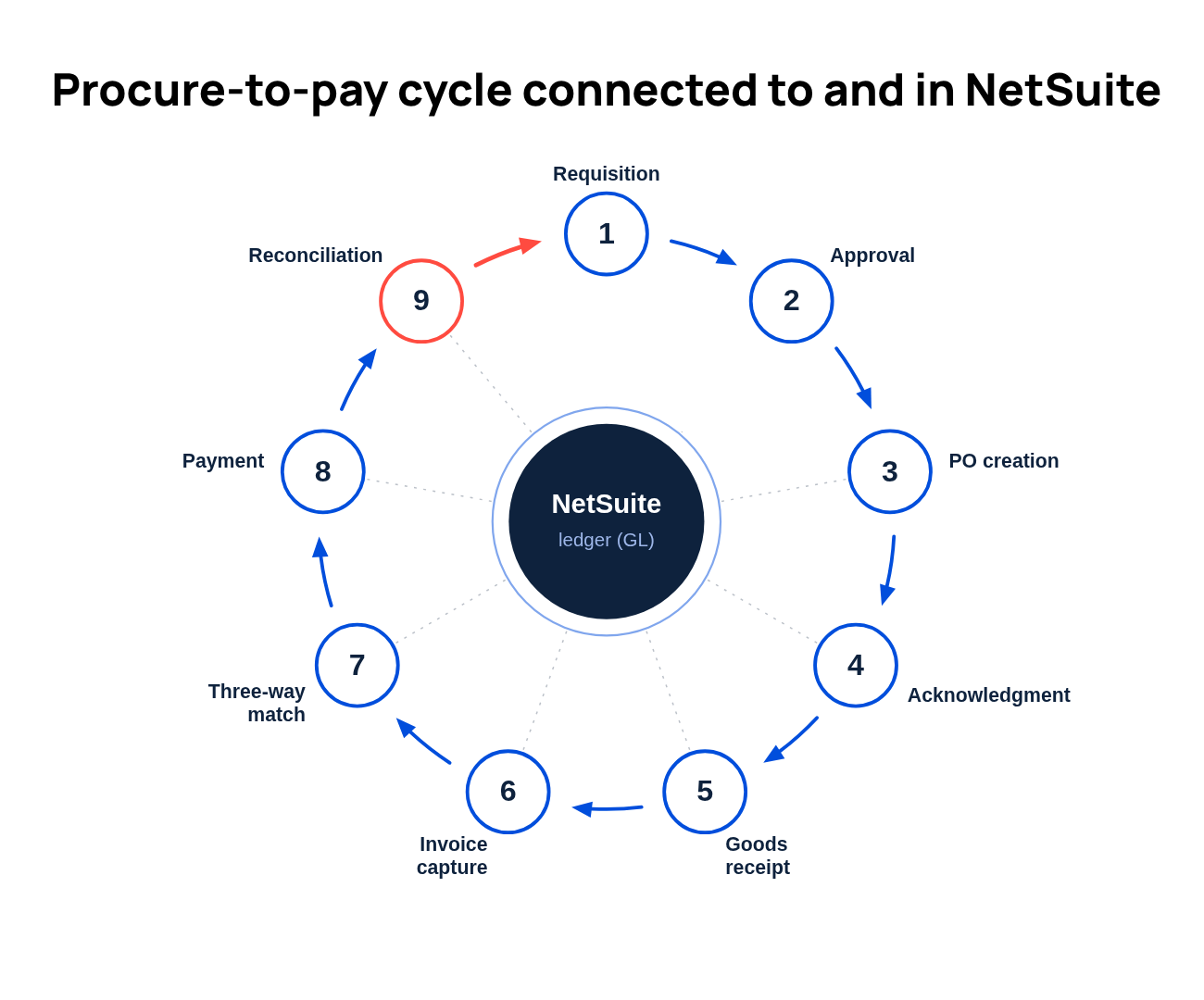
The full purchase order process, from request to payment, follows nine steps:
- The employee or department submits a purchase requisition inside the system with all required fields completed.
- The system checks the request against available budget for the relevant cost center and flags any over-budget items.
- The appropriate approver is notified based on the configured approval matrix and reviews the request.
- The approved requisition automatically triggers PO creation inside the ERP – no manual re-entry.
- The PO is sent to the vendor, who accepts and fulfills the order.
- Receipts are recorded in the system when goods arrive or services are confirmed.
- The vendor invoice is matched against the PO and goods receipt in a three-way match to confirm accuracy.
- The matched invoice is routed for final payment approval and posted to the AP ledger.
- Payments are reconciled automatically for closing.
Each step generates a system record. At the end of the process, there's a complete, auditable trail from the original request to the final payment reconciled in NetSuite.
Why skipping requisitions creates procurement risk
When the requisition step is bypassed – through informal email approvals, verbal sign-offs, or direct PO creation without a prior request – several control failures become predictable:
- Maverick spend: Purchases happen without budget approval, often discovered at month-end when the invoice arrives. By then, the commitment is already made and the budget is already blown.
- No audit trail: without a documented approval record, auditors and board reviewers can't verify that purchases were authorized. The question "who approved this?" becomes difficult to answer quickly.
- Budget overruns discovered after the fact: When spend isn't tracked against budget at the requisition stage, the first signal of an overrun is the invoice – not the request.
- Duplicate POs: Without requisition tracking, the same purchase can be requested and approved multiple times, especially in larger teams where communication is fragmented.
- Missed payment windows: Delayed invoice processing caused by informal requisition handling can eliminate early payment discount opportunities that require timely invoice receipt and processing.
- Vendor risk: Informal requisition processes also open the door to fake vendor setups, ghost vendors, business email scams and more.
Automating the req-to-PO workflow
Procurement workload is expected to increase by 8% in 2026, even as headcount and operating budgets continue to shrink, according to The Hackett Group's 2026 Procurement Key Issues Study. For teams already stretched thin, a manual req-to-PO process is a liability.
A fully automated procurement workflow handles the full sequence with minimal intervention:
- An employee submits a requisition using a configured intake form.
- The system routes the requisition for approval based on amount, department and vendor category – no email required.
- The approved requisition automatically generates a PO in NetSuite with all fields pre-populated.
- The PO is sent to the vendor directly from the system.
- Receipt is recorded against the open PO when goods arrive.
- The vendor invoice is automatically matched against the PO and receipt for three-way matching.
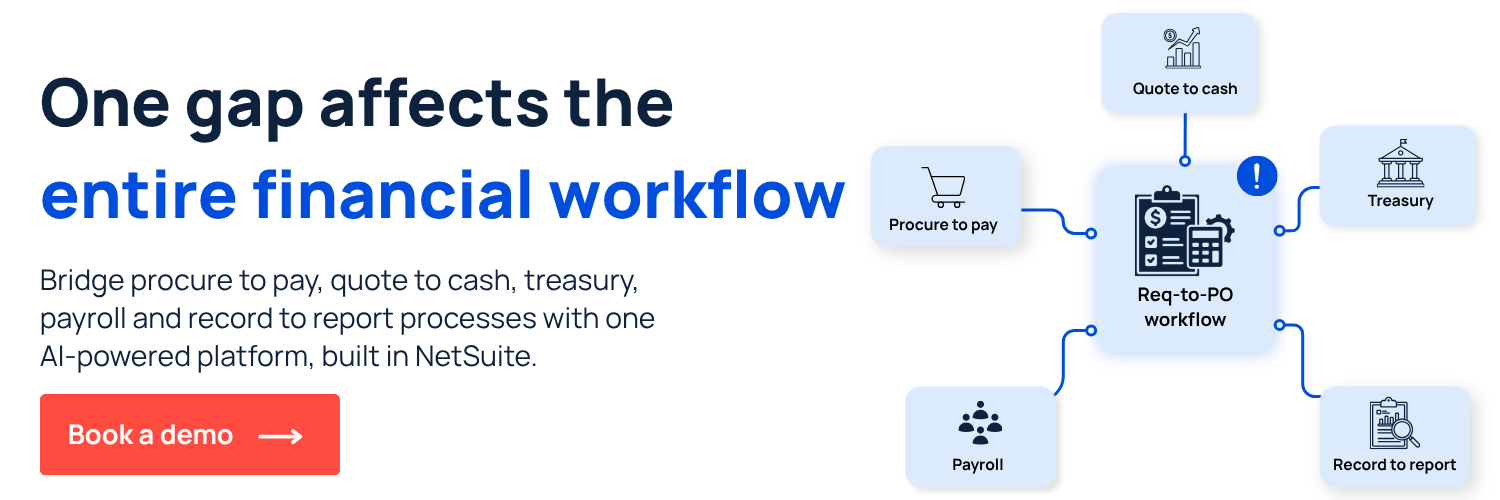
The req-to-PO workflow: manual vs. automated
The steps in a requisition-to-PO workflow are the same whether the process is manual or automated. What changes is who does the work, how long each step takes, and where errors accumulate.
At low purchase volume, the manual process is manageable. At 50+ purchases per month, the gaps compound: re-entered data introduces errors, email approvals get missed, and audit preparation becomes a separate project. An automated P2P process removes the categories of error that manual handoffs create and saves time.
Control requisition-to-purchase order workflows with Zone’s procurement orchestration
Most req-to-PO problems start with a request that bypassed the process, an approval that happened over Slack or a vendor that finance had never heard of. By the time the invoice arrives, the commitment is already made.
ZoneProcure is built to close that gap. It connects directly to NetSuite and the wider Zone P2P platform, feeding clean, structured procurement data into the ERP before spend is committed, not after. Every request, approval and vendor document is captured, routed and logged in one place, so finance has full visibility into what's been approved, what's pending and what it's going to cost.
What ZoneProcure helps you achieve in your P2P process:
- Stop fixing spend decisions after the fact. AI-guided vendor intake captures budget, GL and vendor context at the point of request before anything reaches AP.
- Never get caught by a missed renewal again. Contract intelligence extracts obligations and renewal dates automatically, so finance can renegotiate or cancel before costs escalate.
- Clean vendor records without the manual effort. A self-service vendor onboarding portal shifts tax and banking documentation to the vendor, keeping your vendor master clean.
- Audit-ready approvals, without the last-minute scramble. Every request, comment, and decision is timestamped and logged — a centralized audit trail that proves internal controls are working.
And ZoneProcure doesn't operate in isolation. It's part of Zone & Co's broader procure-to-pay platform, connecting upstream procurement controls with ZoneCapture for AI-powered invoice capture, ZoneApprovals for invoice management and Zone AP Payments for payment execution inside NetSuite. The result is a powerful AI engine in your P2P process where clean data flows from the first requisition to the final payment, with no manual handoffs and no gaps in the audit trail.
Book a demo to see Zone’s intelligent procurement orchestration in action.
Zone & Co strategically uses AI to research and draft articles, but the final version is shaped by people. Our team carefully reviews content with multiple human-in-the-loop steps in the process to ensure accuracy, relevance, tone and alignment with readers’ interests.


.avif)