.png)
Payment reconciliation software helps finance teams match incoming payments, processor payouts, bank activity, fees, refunds, chargebacks, and enterprise resource planning (ERP) records without relying on manual spreadsheet work. Reconciliation is a daily control process that affects cash visibility, revenue accuracy, exception management and close speed.
As transaction volume grows across banks, cards, payment service providers and platforms, manual matching becomes harder to sustain. Finance teams spend hours comparing deposits to invoices, tracing fees, reviewing partial payments and explaining timing differences.
Automated payment reconciliation helps finance teams standardize payment matching, route exceptions earlier, preserve approval history and keep reconciliation activity connected to the ERP.
Key highlights:
- Payment reconciliation is the process of matching payment activity against ERP records so finance teams can confirm cash activity is complete and accurate.
- Manual payment reconciliation creates bottlenecks at high transaction volumes because items like bundled deposits, processor fees and exceptions become too complex to manage in spreadsheets.
- High-volume finance teams should automate payout matching, fee handling, partial payments, and FX adjustments first because these workflows create the most recurring manual effort and close risk.
- Zone’s bank reconciliation solutions help teams match activity against ERP records and make month-end close days faster.
What payment reconciliation is and how it works
Payment reconciliation is the process of comparing payment activity against the financial records that show what the business expected to receive, settle or post. That means matching bank deposits, card settlements, payment service providers (PSP) payouts, refunds, chargebacks, fees and ERP transactions so finance teams can confirm that cash activity is complete and accurate.

Payment reconciliation usually involves several steps:
- Collect payment data from banks, cards, PSPs, gateways and other payment channels.
- Compare payments against ERP records, such as invoices, customer accounts, sales orders, cash receipts and GL activity.
- Match transactions using amount, date, customer, invoice number, processor ID, payout batch, currency or other reference details.
- Identify differences caused by fees, refunds, chargebacks, timing gaps, partial payments, foreign exchange (FX) adjustments or missing data.
- Route exceptions for review when a payment cannot be matched confidently.
- Post approved activity back to the ERP with the right coding, documentation and audit trail.
In a manual process, finance teams often perform these steps across bank portals, processor reports, ERP screens and spreadsheets. That may work when payment volume is low, but it becomes difficult to control as the number of transactions, processors, entities and exception types increases.
Automated payment reconciliation uses configured matching rules to compare payment data against ERP records, apply approved logic and flag exceptions for review. Instead of manually checking every line item, finance teams can focus on the transactions that need judgment like unmatched payments, short pays, unusual fees, chargebacks, or timing differences that fall outside policy.
Common problems with manual payment reconciliation
Payment reconciliation usually works well enough when volume is low. A finance team can review bank deposits, compare them to open invoices, investigate gaps and post adjustments manually. But once transaction volume increases, the same process becomes a bottleneck.
High-volume finance teams often run into these problems:
- Multiple payment sources: Bank transfers, credit cards, automatic clearing house (ACH), PSPs, gateways and marketplace payouts all create different data formats.
- Bundled deposits: A single bank deposit may represent hundreds or thousands of customer transactions.
- Processor fees: Net deposits rarely match gross sales because fees, refunds, chargebacks and adjustments are deducted before cash lands.
- Timing differences: Payment activity, bank settlement and ERP posting may happen on different days.
- Partial and split payments: Customers may pay less than the invoice amount, pay across multiple methods or combine invoices into one payment.
- Limited exception visibility: Issues often sit in spreadsheets or inboxes instead of a structured queue.
- Manual approvals: Review and sign-off may happen outside the ERP, making audit trails harder to prove.
The result is a process that depends heavily on institutional knowledge. One person may know how a certain gateway batches deposits. Another may know which customers often short-pay. A third may own the spreadsheet that explains month-end reconciling items.
That model creates close risk, slows cash application and makes it harder for controllers and leadership to trust payment data.
How to automate payment reconciliation
The best starting point is not to automate every reconciliation workflow at once. High-volume teams should prioritize these three areas where manual effort, exception volume and control risk are highest.
1. Payout matching
Payout matching is often the first workflow to automate because PSP and card deposits rarely arrive as simple one-to-one payments.
A processor payout may include:
2. Fee handling
Processor fees are one of the most common reasons payments fail to match cleanly. A customer may pay $10,000, but the bank deposit may show $9,710 after fees. Without automation, finance teams have to manually identify the fee, code it correctly and explain the difference.
Payment reconciliation software should support rules that:
- Separate gross payment amounts from fees
- Apply the correct GL coding
- Identify processor-specific fee structures
- Support review before posting
- Preserve the fee calculation and approval trail
This is especially important for teams with multiple entities. Fee treatment may differ by geography, payment method, subsidiary or customer type. Automation helps standardize the logic while still allowing finance teams to review exceptions.
3. Partial payments and short pays
Partial payments create significant manual work because the payment amount does not equal the invoice balance. That mismatch may be valid or it may require follow-up.
Common scenarios include:
- A customer pays part of an invoice
- A customer combines multiple invoices into one payment
- A customer deducts a credit memo
- A customer short-pays because of a dispute
- A payment is applied to the wrong invoice
Automation shouldn’t blindly force a match. It should apply rules where confidence is high and route uncertain items for review. The system should help finance teams move faster without losing judgment over exceptions.
4. FX adjustments
For multi-currency businesses, FX adds another layer of complexity. Payment amounts may differ because of exchange rates, settlement timing, bank charges or currency conversion fees.
Automated reconciliation software should help teams:
- Match payments across currencies
- Identify FX-related differences
- Separate true exceptions from expected variances
- Support subsidiary-level visibility
- Keep reporting aligned with ERP records
FX automation is especially valuable for multi-entity finance teams because small manual differences can create large close delays when repeated across many accounts and regions.
Payment matching rules for teams with high transaction volumes
Strong payment matching depends on rule design. The system needs to reflect how payments actually move through the business, not just compare two amounts and mark them as matched.
At a minimum, high-volume teams should look for matching logic that supports:
- One-to-one matching: One payment to one invoice or transaction
- Many-to-one matching: Many transactions to one processor payout or bank deposit
- One-to-many matching: One payment applied across multiple invoices
- Tolerance-based matching: Small differences allowed within approved thresholds
- Date-window matching: Matching across expected settlement timing differences
- Reference matching: Matching by invoice number, transaction ID, customer ID, payment reference, or processor ID
- Fee-aware matching: Matching net deposits while separately identifying fees
- Entity-aware matching: Rules that respect subsidiary, account, currency, and ERP structure
Exception routing rules
Automation should reduce manual work, but it shouldn’t hide the hard parts of reconciliation. The most valuable systems make exceptions easier to see, prioritize and resolve.
A strong exception workflow should show:
- What failed to match
- Why it failed
- Which rule was attempted
- What data is missing or inconsistent
- Who reviewed the item
- What action was taken
- Whether approval was required before posting
This is where payment reconciliation becomes a control process, not just a matching process. Finance teams need speed, but they also need evidence.
How to evaluate payment reconciliation software
When evaluating payment reconciliation software, finance leaders should look beyond basic matching claims. The right solution should support high-volume workflows, ERP context, exception control and audit readiness.
Use this checklist to compare options:
What finance teams should avoid
Be cautious of reconciliation tools that:
- Only match transactions by amount and date
- Require heavy spreadsheet work before upload
- Do not provide clear exception queues
- Sit outside the ERP without reliable drill-back
- Lack approval history
- Cannot handle processor fees or payout batches
- Treat automation as a black box
For controllers and close owners, the priority should be controlled automation that improves speed, accuracy and visibility.
Automate payment reconciliation in NetSuite
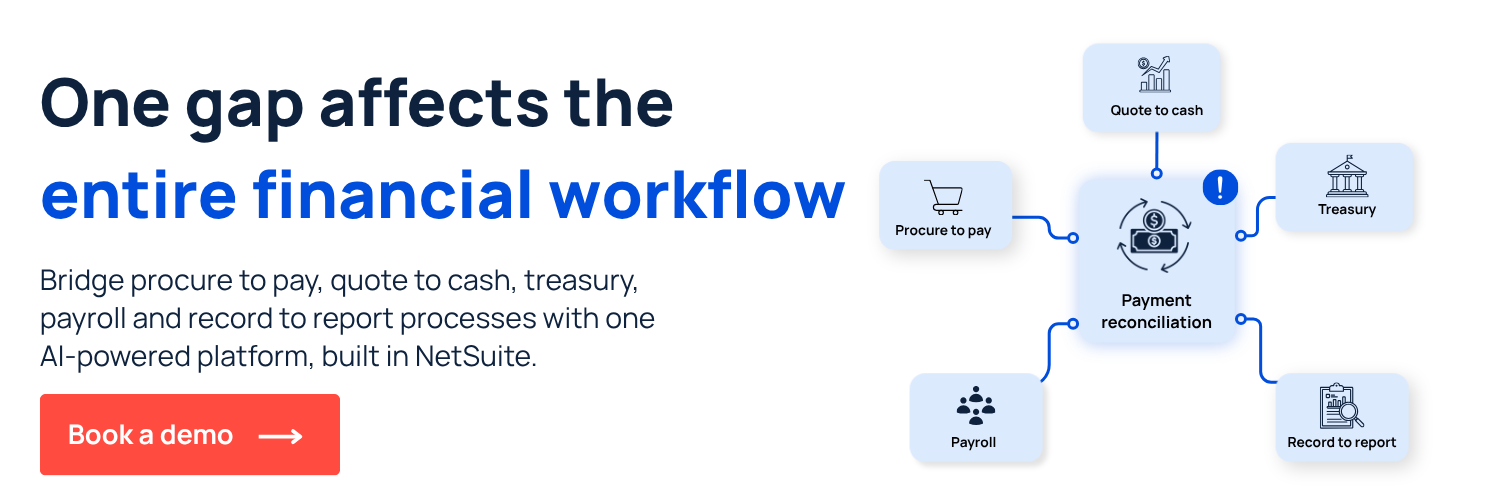
Payment reconciliation is stronger when it stays close to the ERP. Instead of managing payments, reconciliation, reporting and close activity across disconnected tools, Zone & Co helps finance teams build a more connected operating model inside NetSuite with:
- ZoneReconcile automates bank, card and payment reconciliation workflows to reduce manual matching, manage exceptions and keep reconciliation activity connected to NetSuite.
- ZoneReporting and Solution 7 give finance teams clearer reporting visibility across reconciliation, cash and close activity so leaders can trust the numbers they’re reviewing.
- ZonePayments supports payment workflows that are easier to track, reconcile and control within the broader finance process.
Book a demo with a specialist today to implement NetSuite payment reconciliation.