
A Business Requirements Document template for NetSuite-based AP automation
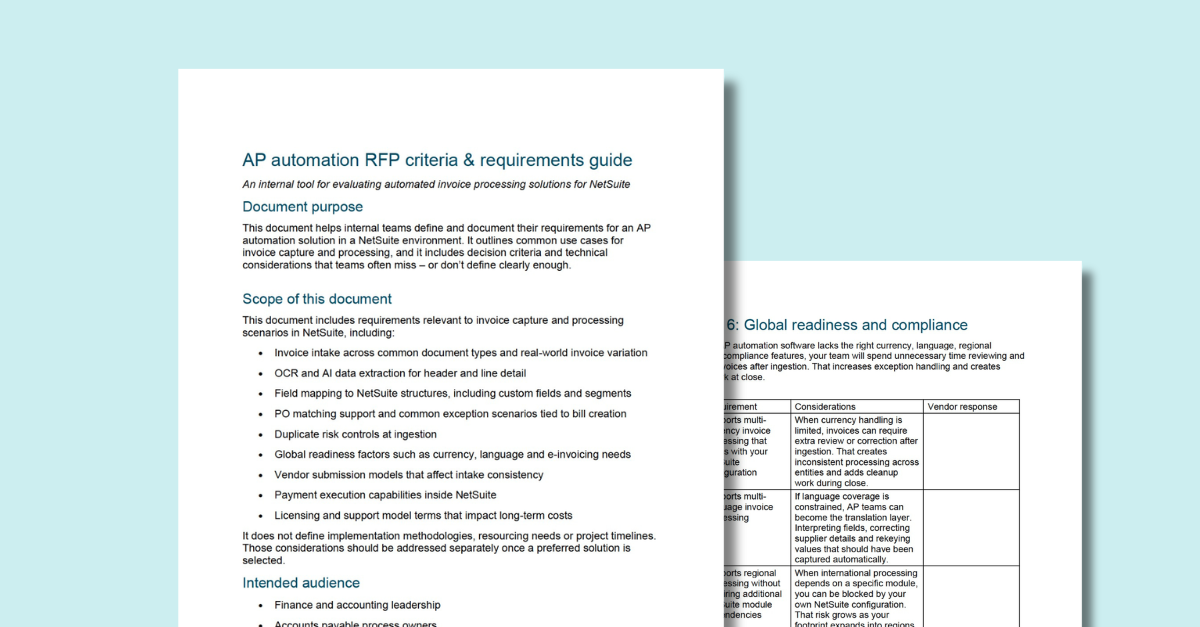
Practical requirements to evaluate invoice capture and processing solutions built for NetSuite.
AP automation may look clean in a vendor’s demo. But real invoice intake can get messy – multi-invoice PDFs, scanned photos, long invoices with supporting pages, vendor naming quirks, line items that don’t match the PO cleanly.
We built this business requirements document (BRD) so you can decide what you need before vendor conversations drift. Clear requirements. Detailed considerations. A format your team can score and share.
What is a business requirements document (BRD) for NetSuite-based AP automation?
A business requirements document is where you turn AP workflow reality into requirements your team can evaluate. In plain terms – it’s the document that turns “we need AP automation” into written requirements you can compare across vendors.
For AP automation in NetSuite, it spells out how invoice capture and processing should work in your environment. How invoices arrive. What data needs to be captured at the header and line level. How values map into NetSuite fields, custom fields and segments. What matching rules apply when a PO is involved. What happens when something doesn’t match. The stuff vendors tend to gloss over.
It also gives you a place to document decision-critical constraints – duplicate controls at ingestion, global needs like currency and language and e-invoicing expectations. That way your team can evaluate vendors on the same requirements, use the same validation prompts and score responses without relying on demo impressions.
The right considerations lead to better AP automation decisions.
When you define needs upfront, alignment comes faster. Vendor conversations focus on how invoices actually arrive and how bills need to land in NetSuite. Gaps show up while you still have options, not after you’re deep into implementation.
That’s the value of a structured requirements document – a shared view of what the solution must do and more confidence in whether a vendor can bring true AP automation into your NetSuite environment.
Bring structure to your AP automation evaluation.
Written requirements keep evaluations consistent. They give finance, AP and systems teams one baseline to work from, even when priorities differ. They also keep vendor conversations focused on the important AP workflows in NetSuite – invoice intake, bill creation, matching and exceptions.
A few ways to avoid the usual selection traps:
- Frame requirements around real intake and processing scenarios
- Call out edge cases that create exceptions and manual work
- Use considerations that prompt specific answers during demos and evaluations
- Apply one scoring method across vendors so comparisons stay fair
- Keep it in a simple format you can share internally or review with vendors
This BRD helps you think through your AP automation requirements and log vendor responses in detail – so the best demo story doesn’t win by default.
Download the AP automation BRD.
AP automation decisions can feel straightforward – until missed requirements start to create delays and extra work. Invoices land with missing details. Line items don’t match the PO cleanly. Exceptions stack up. Someone has to sort it out.
This template helps you set the agenda for vendor selection, with questions and checkpoints that lead to specific answers and informed decisions.
What’s inside:
- Invoice intake and document handling – how real invoices arrive, how they’re handled and how you track them through bill creation
- OCR and AI extraction – header and line detail capture requirements that determine whether a bill can be created without rekeying
- NetSuite field mapping – mapping into NetSuite fields, custom fields and segments at header and line levels
- PO matching and exceptions – match support plus exception scenarios that can create a backlog when invoice details don’t match the PO
- Duplicate controls – ingestion checks that reduce duplicate risk before invoices move deeper into workflow
- Global readiness – currency, language and e-invoicing needs that can drive repeat review work
- Vendor submission and onboarding – supplier submission methods for invoices and supporting files, plus intake consistency requirements
- Payments in NetSuite – evaluation criteria for solutions that support payment execution inside NetSuite
- Commercial terms – licensing and support model details that affect long-term costs and scale
One template. A cleaner comparison. Fewer surprises after you’ve made the decision.
Download the AP automation BRD
Evaluate solutions on stronger ground.
This AP automation requirements guide is part of a growing set of evaluation templates we’ve built for finance teams working inside NetSuite. Each one is designed to make vendor selection more predictable by turning finance and workflow needs into considerations you can validate and requirements you can score.
It reflects the realities teams run into during selection and rollout – the gaps that lead to manual work later. Our goal is to provide the requirements and considerations you need to push for specific vendor answers on the way to making informed solution decisions.
This AP automation BRD gives your team a stronger foundation for selecting invoice capture and processing software built for NetSuite.



Get a Personalized Demo Today
Start a conversation with an expert who asks thoughtful questions and shows you how Zone & Co can solve your unique problem.
